Powering the Internet of Life

Build reality. Together.

Describe a 3D app to your coding agent. Share one link. Everyone joins from the web, desktop or phone.

Describe it to your agent · Share the link · Join together
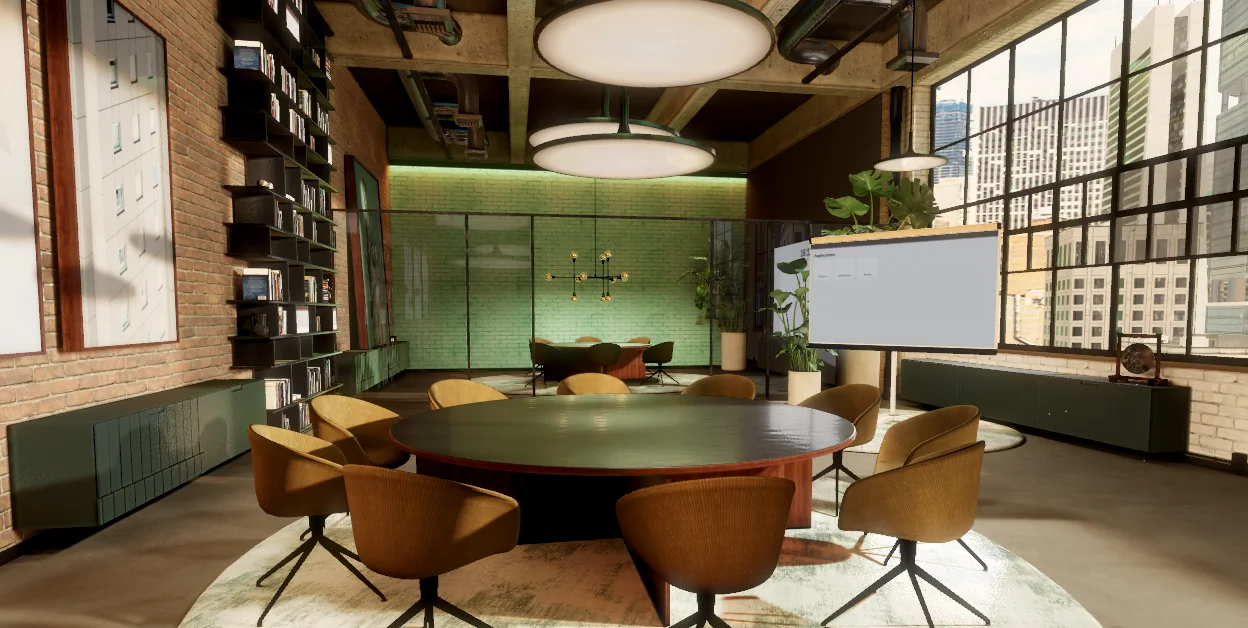
studio.tsRendered in the browser · WebGPU
import { Engine, Scene, GltfModel,  PerspectiveCamera, DirectionalLight,} from 'realityos' const engine = await Engine.create({ canvas })const scene = new Scene()scene.add(await GltfModel.load('studio.glb'))scene.add(new DirectionalLight({  direction: [-1, -2, -1], intensity: 2.5 })) const camera = new PerspectiveCamera()camera.fov = 60camera.position.set(5.3, 1.3, 8.2)engine.render(scene, camera)

The Internet of Life is TMRW's name for an internet you step into: shared spaces where people meet and work together as naturally as in real life. RealityOS is the engine it runs on.

Under the hood

A WebGPU engineA WebGPU engine: real-time 3D in any modern browser, with a Rust core
One TypeScript SDKOne TypeScript SDK: familiar if you know three.js
Multiplayer built inMultiplayer built in: everyone in a scene sees the same thing, live
Vision on the deviceVision on the device: people from their camera put into the scene, plus tracking and clean speech
Built for agents

Write it in TypeScript, or let your agent write a scene file.

Every RealityOS scene can be written as TypeScript or as a typed scene file. Both drive the same engine, so a developer and an AI agent can work on the same app.Code or a scene file: both drive the same engine.

  • Scene filesA whole scene as versioned JSON with typed components, easy for an agent to write and check.Scene files. Typed JSON an agent can write.
  • Familiar codeScenes, meshes, lights and cameras, named the way three.js developers expect.Familiar code. three.js idioms.
  • One engine underneathWhat an agent writes renders exactly like what a developer writes.One engine. Same result either way.
main.tsWritten by a developer
// A developer writes TypeScriptconst room =  await GltfModel.load('room.glb')scene.add(room) scene.add(new DirectionalLight({  direction: [-1, -2, -1],  intensity: 2.5,}))
scene.jsonWritten by an agent
{  "version": 2,  "entities": [    { "id": "room",      "components": {        "prefab": {          "url": "room.glb" } } },    { "id": "keylight",      "components": {        "spotLight": {          "position": [2, 3, 1],          "direction": [0, -1, 0],          "intensity": 60 } } }  ]}
Developers

Start building in minutes

  1. 1

    Get your key

    Create an account and your first app. Its ID and key are on your Get started page.Create an account and an app.

  2. 2

    Install the SDK

    npm install realityos
  3. 3

    Open a sample

    Clone a sample, open it in Claude Code, Codex or Cursor, and tell your agent what to build.Clone one and hand it to your agent.

Vision on the device

Vision on the device

Put people from their camera into the scene, follow faces and hands, frame the shot and clean up speech.People in 3D, tracking and clean speech.

  • People in 3DBackground removal on the GPU, ready to place a person in a 3D scene.People in 3D.
  • Face, head and handsHead pose, face position and hand gestures for natural control.Tracking. Face, head and hands.
  • Clean speechBackground noise removed from speech.Clean speech. Noise removed.
Camera
Microphone
RealityOS engine
People in 3DFace and headHand gesturesAuto-framingClean speech
Your app

Processed on the device, on its own GPU and CPU

Products

Built on RealityOS

Apps where people meet and work together in 3D, all running on RealityOS.

Visit HOLOH →
HOLOHMeeting in a 3D roomRuns on RealityOS
Maya KleinJon ParkRavi Shah
HOLOHLive
AiredTVBuilding
IndieBoxBuilding
Undisclosed AI Native 3D Semiconductor CAD SoftwareBuilding
Get started

Request access

RealityOS is invite-only. Write to info@holoh.com to request access.

Free to build and test. Evaluation terms

Create your account
We use these details only to reply to you. Privacy notice.